

Track Your Competitors
Watch competitor rankings, backlinks, and pages side-by-side with yours.
Competitive checks live in spreadsheets that nobody updates after week two.
The workflow
How Track Your Competitors works, step by step
The same 4-step flow runs across every surface — the interface changes, the engine doesn't.
- 01Add up to 10 competitor domains per site.
- 02Daily rank tracking for shared keyword sets.
- 03New / lost backlinks and new indexed pages digest weekly.
- 04Share-of-voice chart per topic cluster.
Inside the WBP interface
Real product screenshots from the current release — click any image for full resolution.
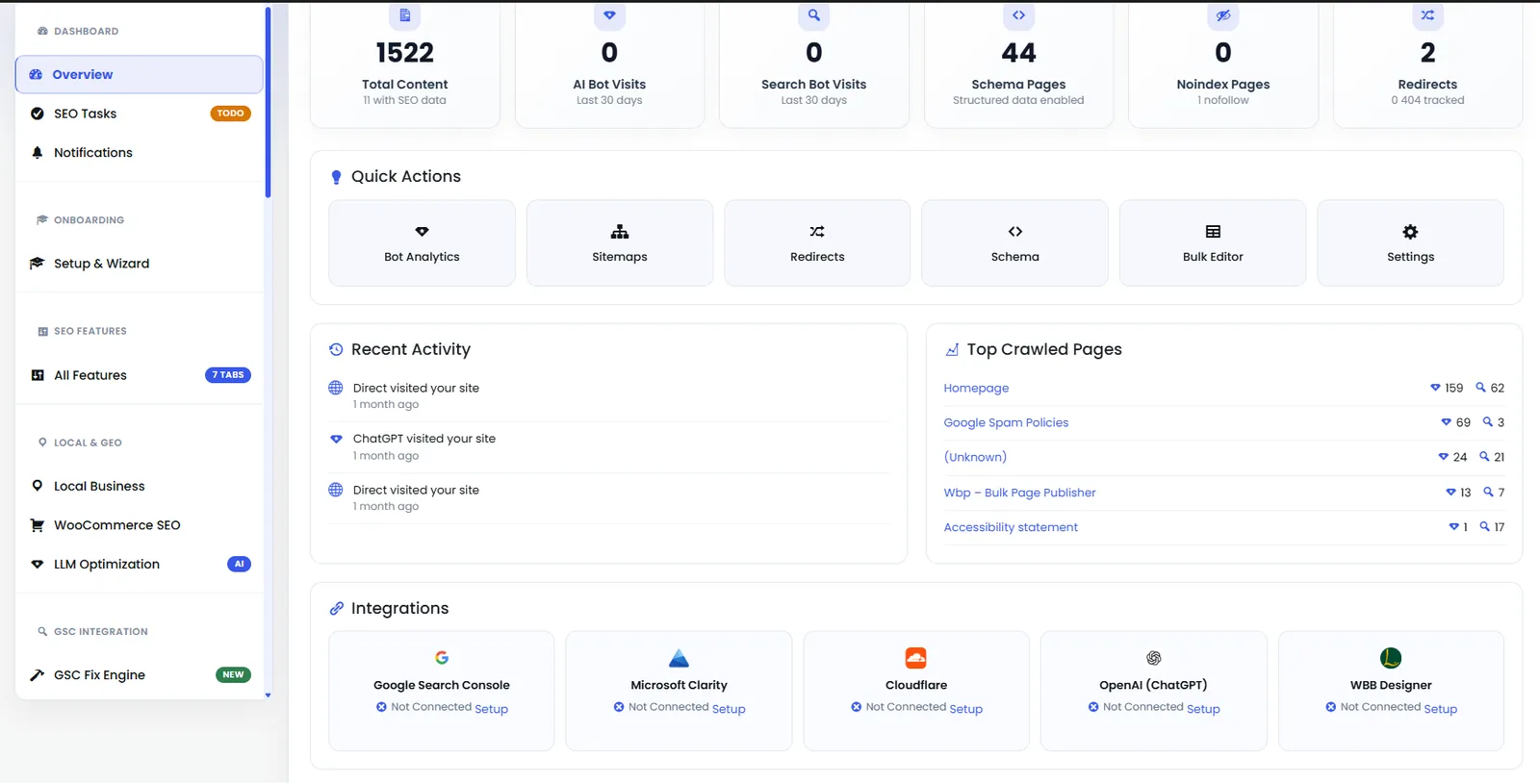
Dashboard — Analytics Panel
Second half of the dashboard showing keyword movement, indexation status, and Content AI credits.
- dashboard
- analytics
- overview
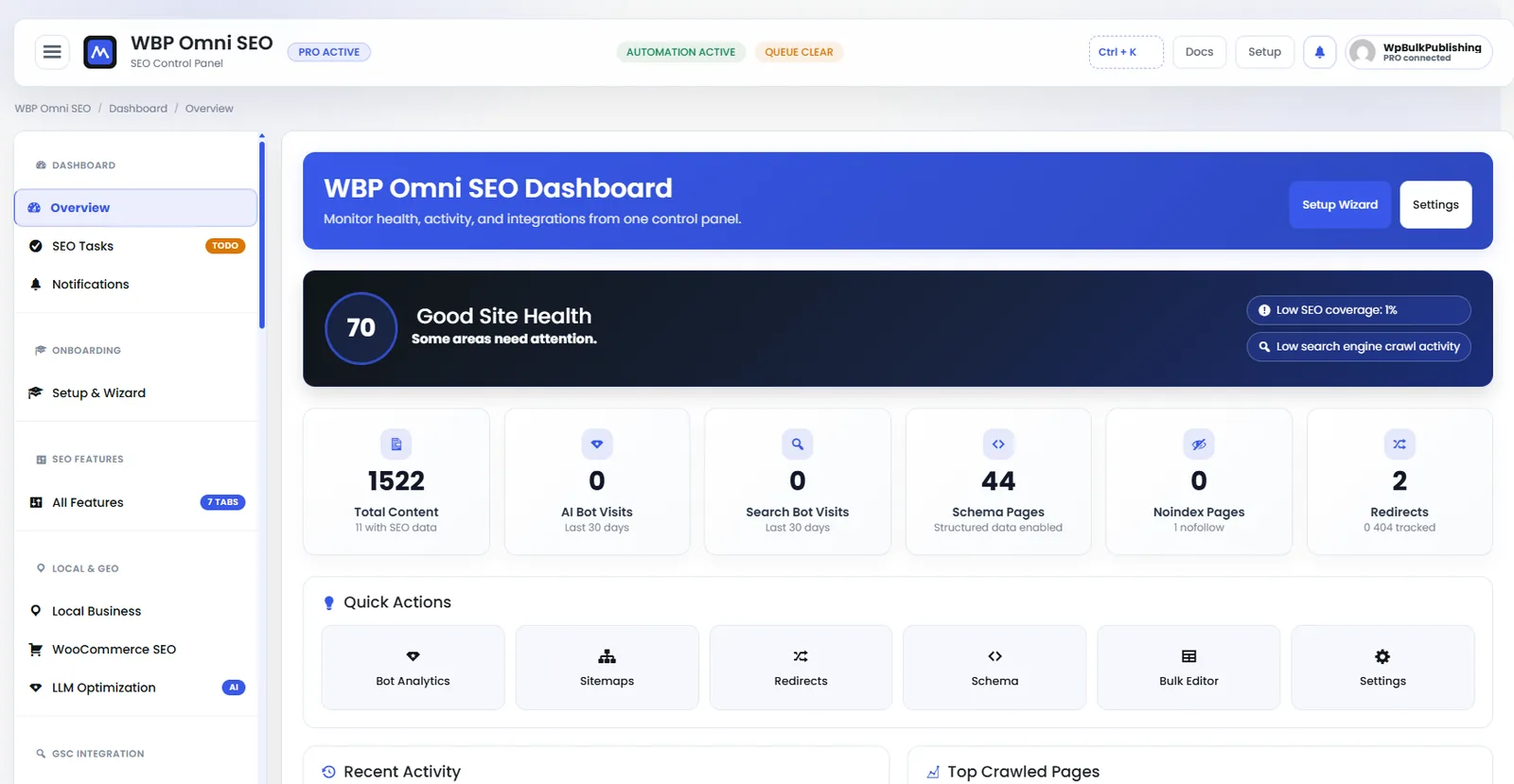
WBP Omni SEO Dashboard
Main WBP Omni SEO dashboard showing site health, SEO score, top pages, and quick actions.
- dashboard
- overview
- analytics
- ui

Website Connection
Connect your WordPress site to the WBP cloud for cross-site sync, analytics, and licensing.
- connection
- account
- license
- setup
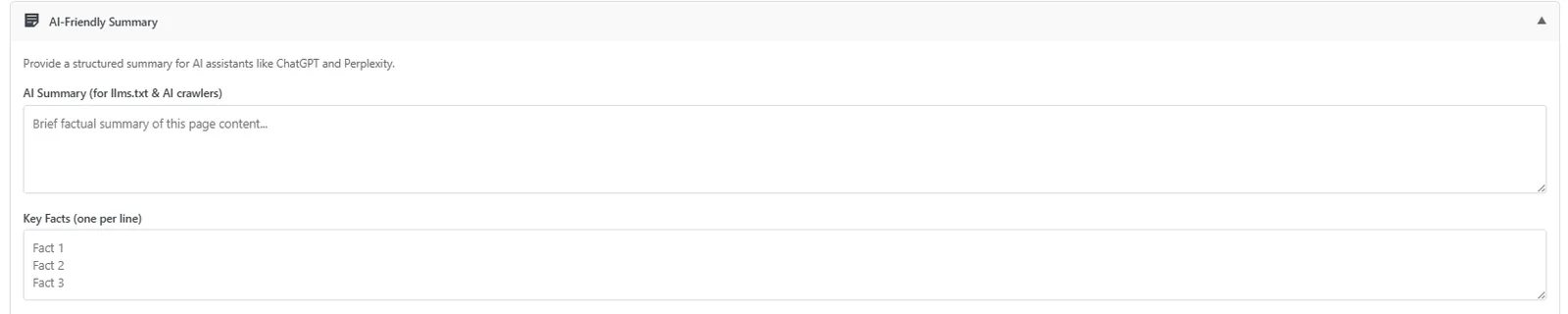
Post Editor — AI-Friendly Summary
Auto-generated AI-friendly summary block so LLMs cite your page correctly.
- post-editor
- ai-visibility
- ai-search
- llm
Outcomes
What changes after you turn this on
Competitive insight without a second tool
Weekly digest instead of manual checks
Topic gaps surface fast
Agencies
Ships with defaults tuned for this team from day one — no consultant required.
In-house SEO teams
Ships with defaults tuned for this team from day one — no consultant required.
Pairs well with
Related features
Get Track Your Competitors plus every other capability — in one ecosystem.
One catalog covers plugins, tools, GPTs, MCP endpoints, apps and services. One team on the other end. One place to see what changed, when, and by whom.
