

Google Search Console Integration
Impressions, clicks, CTR, and position for every WordPress URL, in the WordPress admin.
GSC's UI hides the URLs that matter behind aggregate charts and 1,000-row limits.
The workflow
How Google Search Console Integration works, step by step
The same 4-step flow runs across every surface — the interface changes, the engine doesn't.
- 01OAuth once and pull performance data per URL for the last 16 months.
- 02See top queries, average position, and CTR right in the post editor.
- 03Filter to declining URLs to build a monthly refresh queue automatically.
- 04Export any view to CSV or Google Sheets for client reporting.
Inside the WBP interface
Real product screenshots from the current release — click any image for full resolution.
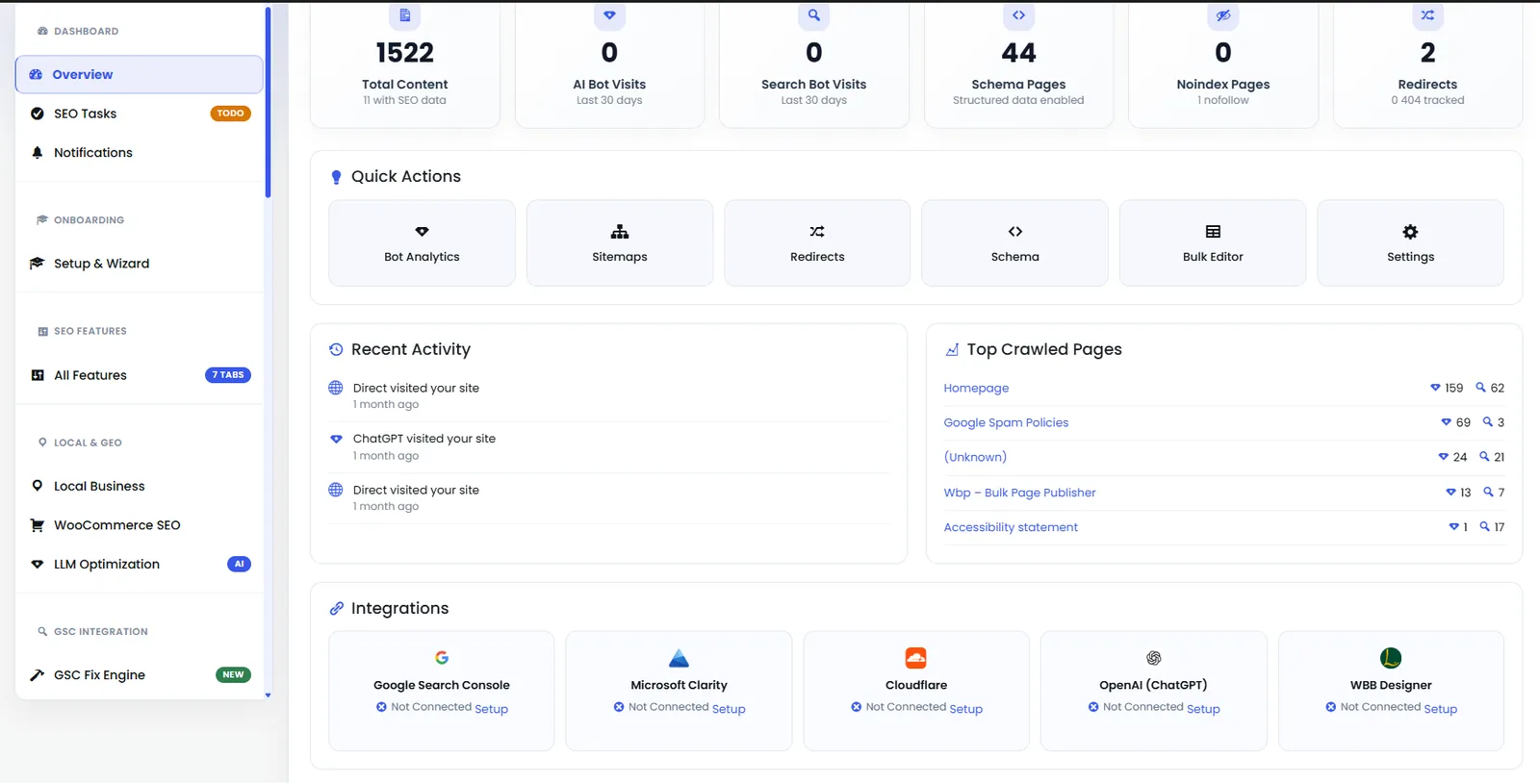
Dashboard — Analytics Panel
Second half of the dashboard showing keyword movement, indexation status, and Content AI credits.
- dashboard
- analytics
- overview
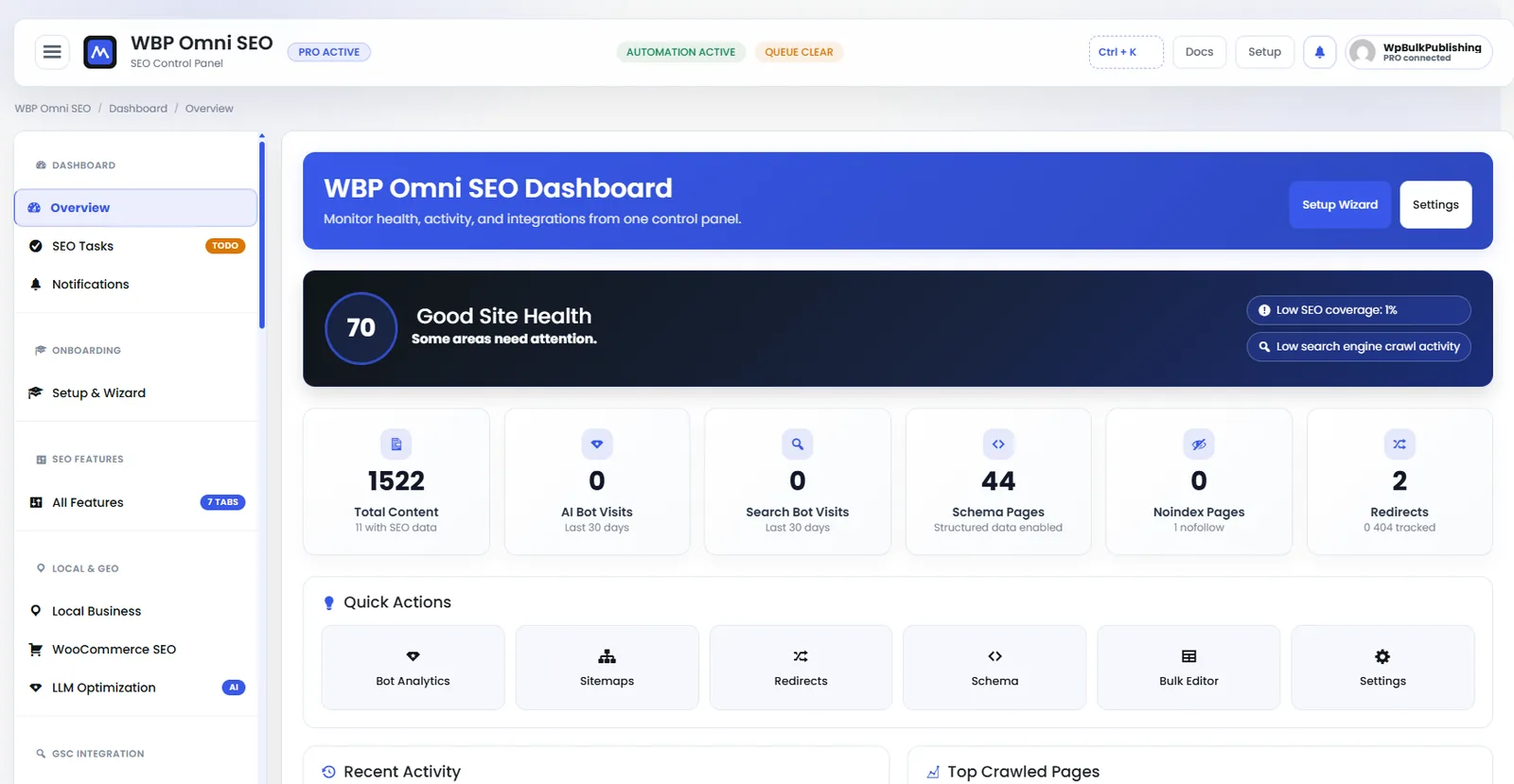
WBP Omni SEO Dashboard
Main WBP Omni SEO dashboard showing site health, SEO score, top pages, and quick actions.
- dashboard
- overview
- analytics
- ui
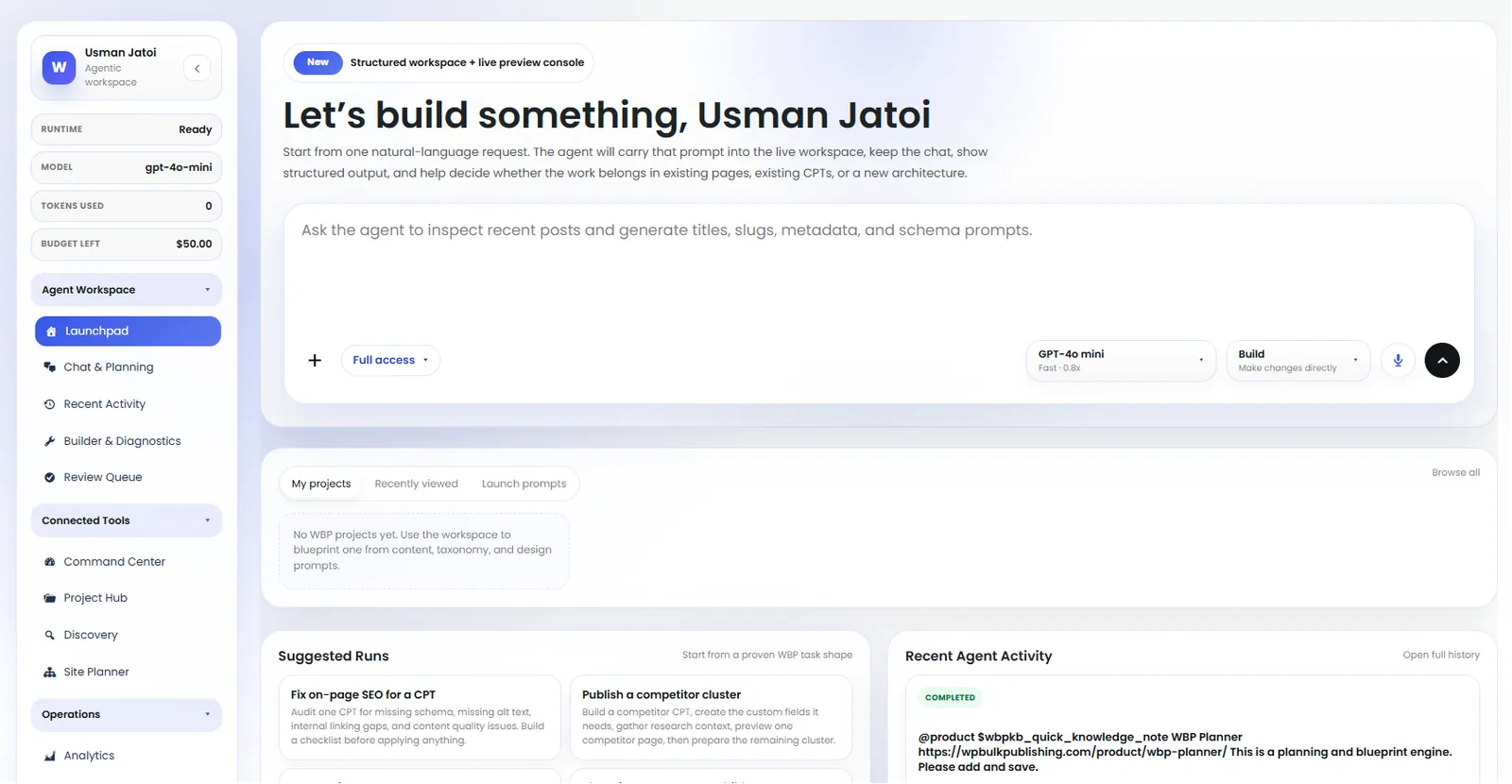
Agent Launchpad
Launch pre-built agents: keyword research, content briefs, internal linking, schema fixes.
- ai
- agents
- launchpad
- automation
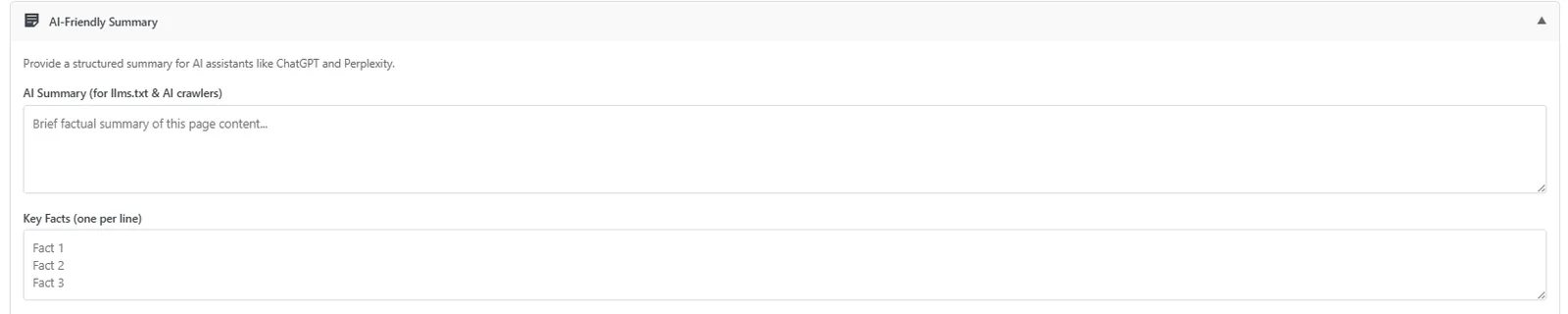
Post Editor — AI-Friendly Summary
Auto-generated AI-friendly summary block so LLMs cite your page correctly.
- post-editor
- ai-visibility
- ai-search
- llm
Outcomes
What changes after you turn this on
Refresh backlog assembles itself
One place for GSC + on-page tools
Client-ready exports
Content teams
Ships with defaults tuned for this team from day one — no consultant required.
SEO consultants
Ships with defaults tuned for this team from day one — no consultant required.
Pairs well with
Related features
Google Search Console Integration
Deep, per-post GSC integration — not just a verification code.
OpenSearch Statistics
Search Console data in the WordPress admin — per post, per keyword, per day.
OpenWebmaster Tools
One-click verification for Google, Bing, Yandex, Baidu, and Pinterest.
OpenGet Google Search Console Integration plus every other capability — in one ecosystem.
One catalog covers plugins, tools, GPTs, MCP endpoints, apps and services. One team on the other end. One place to see what changed, when, and by whom.
