

Matomo (Cloud & On-Premise)
Privacy-first analytics wired into WordPress without touching a header tag.
GDPR pressure is pushing teams off Google Analytics, but reinstalling tracking is a chore.
The workflow
How Matomo (Cloud & On-Premise) works, step by step
The same 4-step flow runs across every surface — the interface changes, the engine doesn't.
- 01Paste your Matomo Cloud URL and site ID, or point at a self-hosted instance.
- 02Server-side event forwarding survives ad blockers.
- 03Cookie-less mode is one toggle for EU-strict sites.
- 04Reports embed inside the WordPress dashboard, no second login.
Inside the WBP interface
Real product screenshots from the current release — click any image for full resolution.

Website Connection
Connect your WordPress site to the WBP cloud for cross-site sync, analytics, and licensing.
- connection
- account
- license
- setup
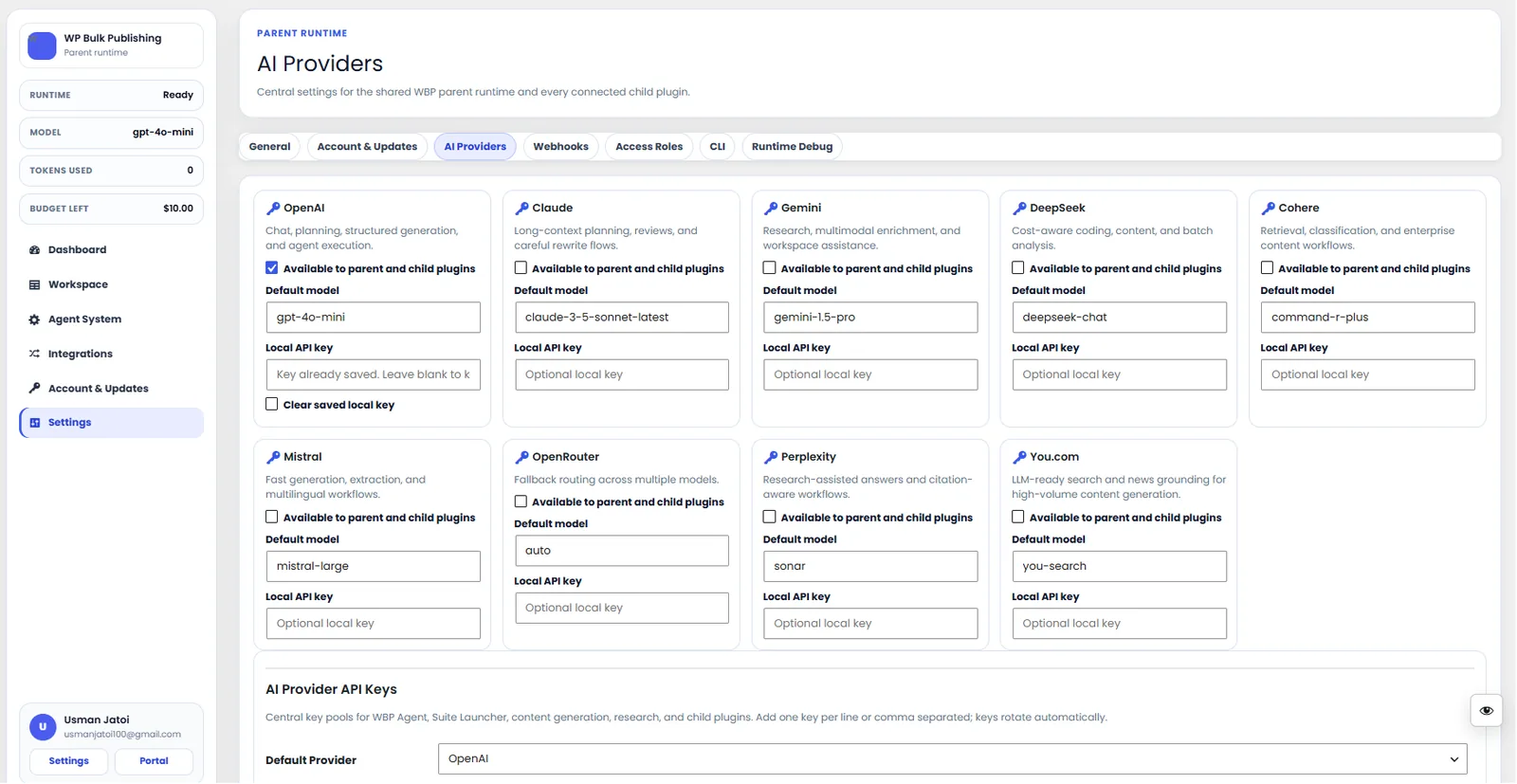
AI Providers
Configure AI providers — Lovable AI, OpenAI, Anthropic, Gemini — with model + budget controls.
- ai
- providers
- content-ai
- settings
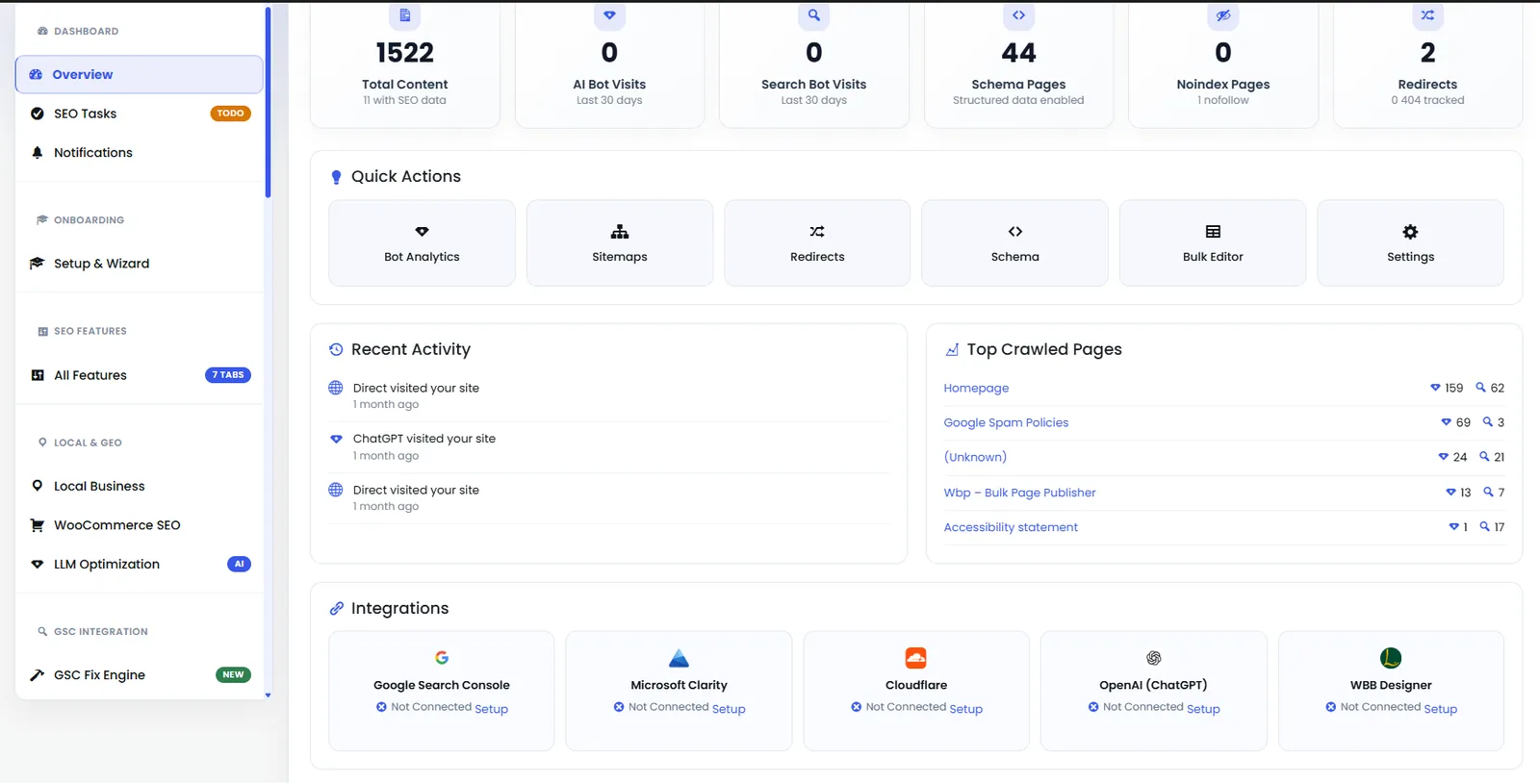
Dashboard — Analytics Panel
Second half of the dashboard showing keyword movement, indexation status, and Content AI credits.
- dashboard
- analytics
- overview
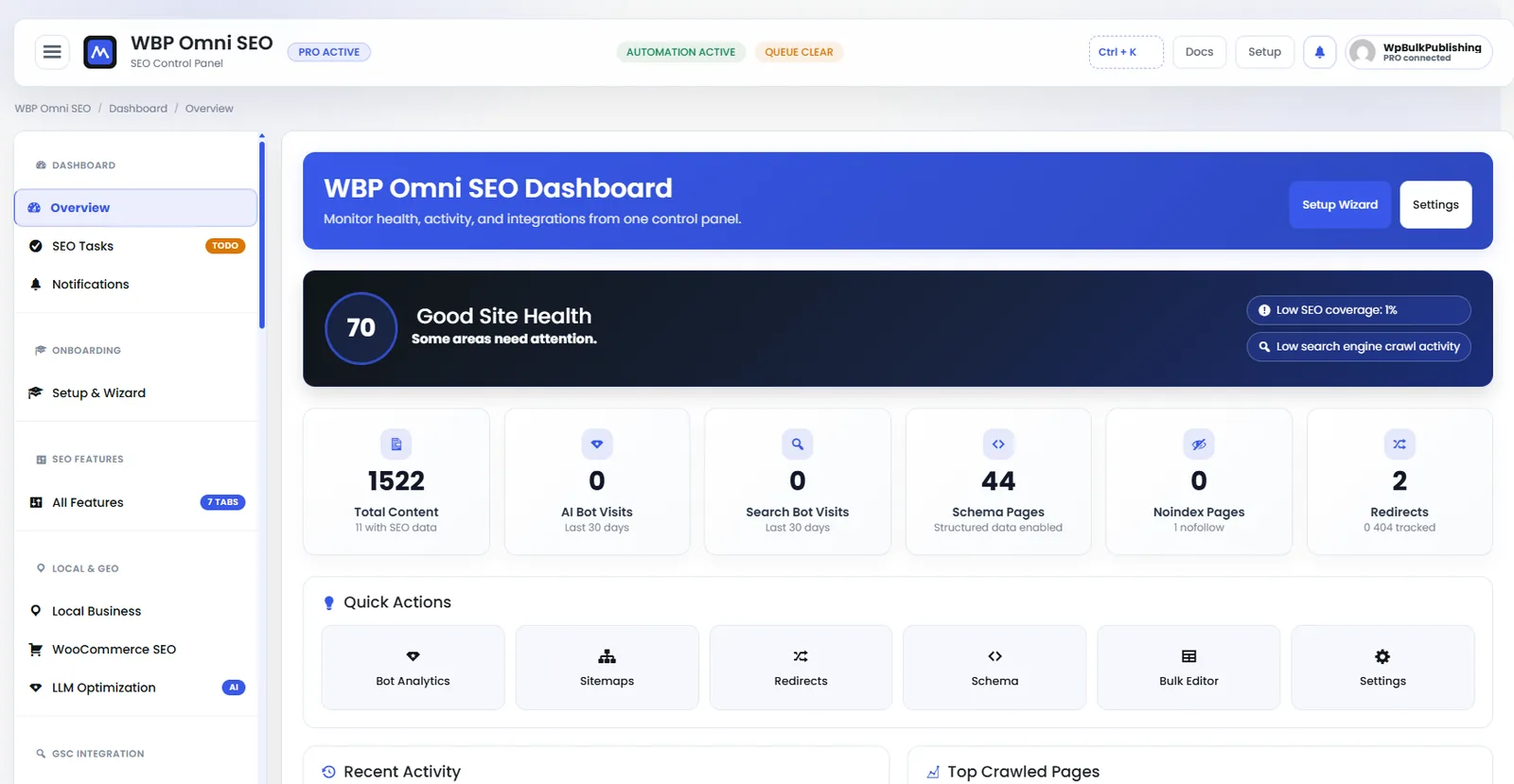
WBP Omni SEO Dashboard
Main WBP Omni SEO dashboard showing site health, SEO score, top pages, and quick actions.
- dashboard
- overview
- analytics
- ui
Outcomes
What changes after you turn this on
GA-free analytics
Ad-block-resistant data
Faster consent audits
EU publishers
Ships with defaults tuned for this team from day one — no consultant required.
Healthcare
Ships with defaults tuned for this team from day one — no consultant required.
Public sector
Ships with defaults tuned for this team from day one — no consultant required.
Pairs well with
Related features
Get Matomo (Cloud & On-Premise) plus every other capability — in one ecosystem.
One catalog covers plugins, tools, GPTs, MCP endpoints, apps and services. One team on the other end. One place to see what changed, when, and by whom.
