

Block Editor (Gutenberg) Integration
Sidebar, blocks, and slash commands built for Gutenberg from day one.
SEO plugins that were bolted onto Gutenberg leave metaboxes floating below the fold.
The workflow
How Block Editor (Gutenberg) Integration works, step by step
The same 4-step flow runs across every surface — the interface changes, the engine doesn't.
- 01Native sidebar panel for title, description, canonical, noindex, and schema.
- 02Custom blocks for FAQ, HowTo, and Table of Contents that ship valid schema.
- 03Slash commands like /faq and /toc drop pre-configured blocks in one keystroke.
- 04Block variations respect the theme's typography and spacing tokens.
Inside the WBP interface
Real product screenshots from the current release — click any image for full resolution.
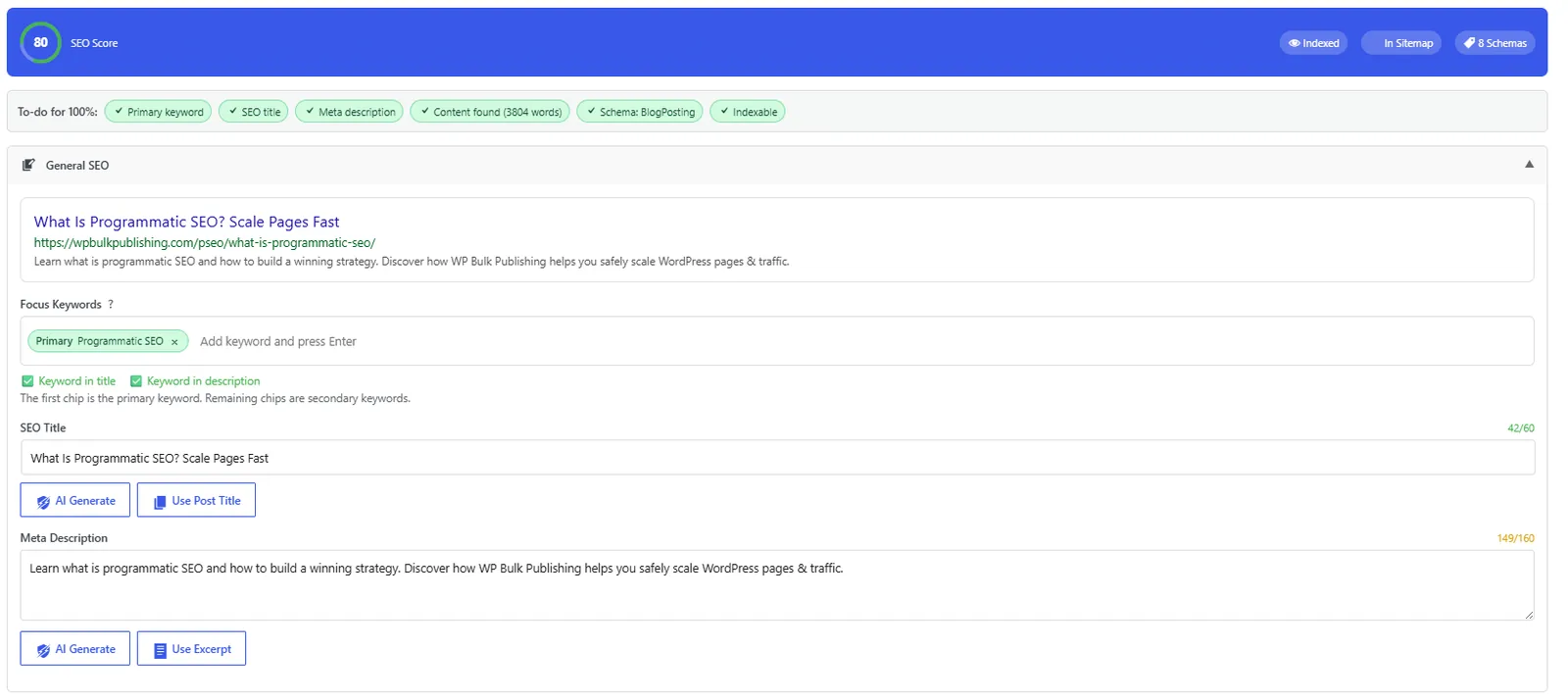
Post Editor — General SEO
General SEO block inside the Gutenberg/Classic editor: title, description, focus keyword, snippet preview.
- post-editor
- on-page
- meta
- snippet-preview
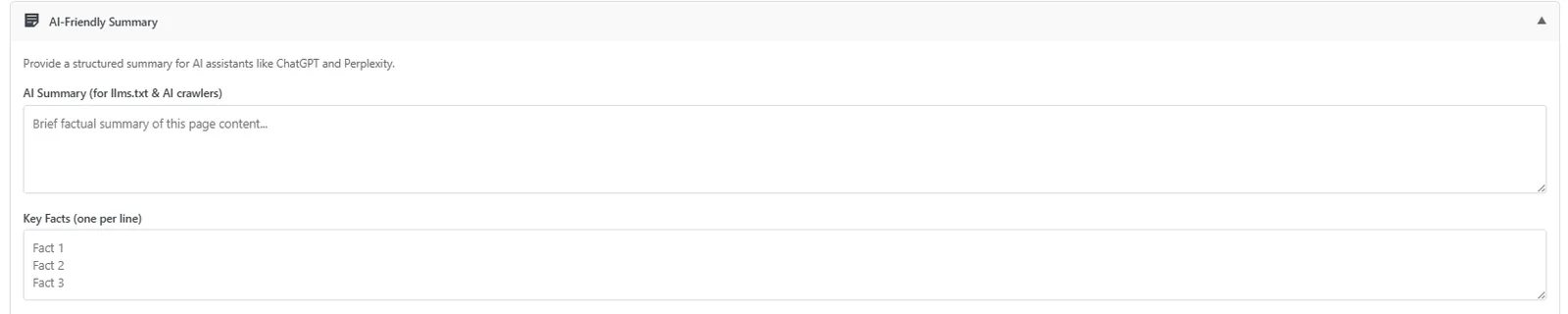
Post Editor — AI-Friendly Summary
Auto-generated AI-friendly summary block so LLMs cite your page correctly.
- post-editor
- ai-visibility
- ai-search
- llm
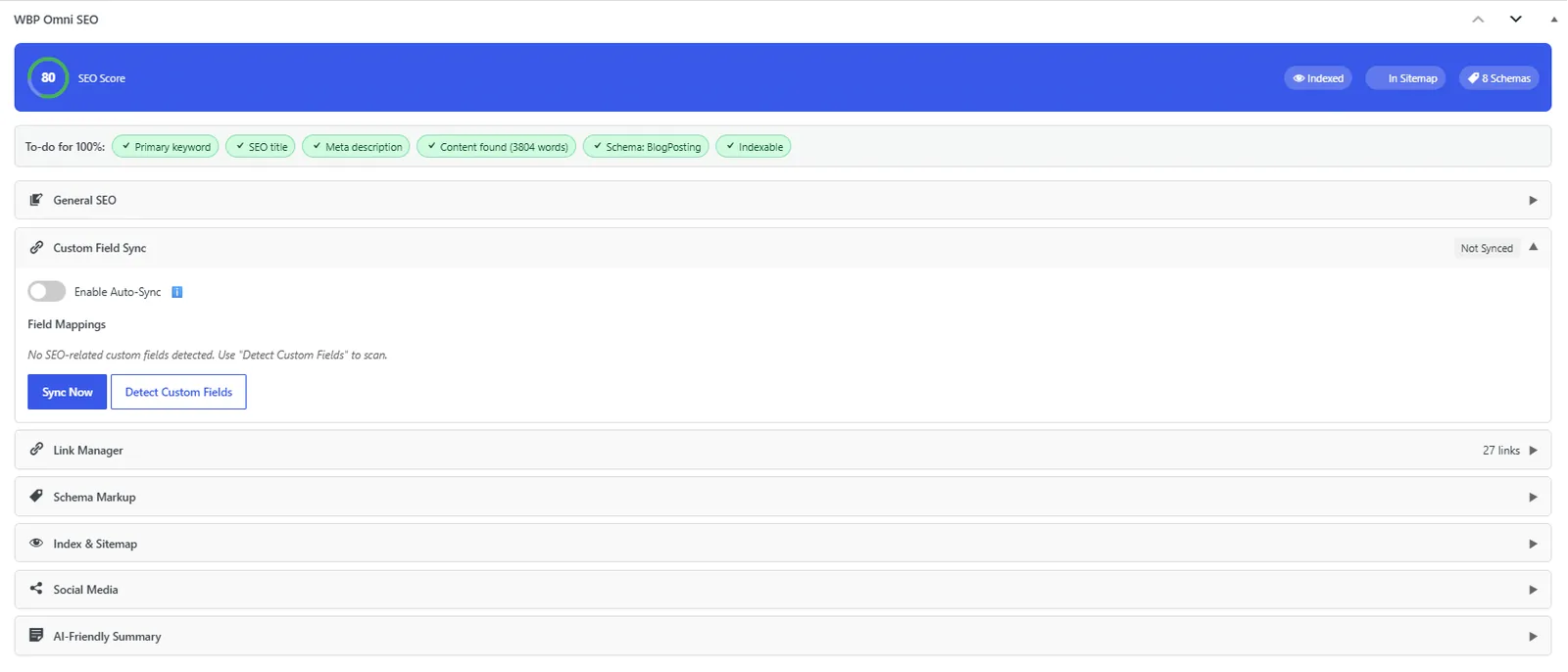
Post Editor — Custom Field Mapping
Custom-field mapping engine that migrates Yoast, Rank Math, AIOSEO, SEOPress metadata in one click.
- post-editor
- migration
- custom-fields
- yoast
- rank-math
- aioseo

Post Editor — Index & Sitemap
Per-post indexation, sitemap inclusion, and IndexNow ping controls.
- post-editor
- indexation
- sitemap
- indexnow
Outcomes
What changes after you turn this on
No mode-switching
Editors stay in flow
Cleaner posts, valid schema
Any Gutenberg-first WordPress site
Ships with defaults tuned for this team from day one — no consultant required.
Pairs well with
Related features
Get Block Editor (Gutenberg) Integration plus every other capability — in one ecosystem.
One catalog covers plugins, tools, GPTs, MCP endpoints, apps and services. One team on the other end. One place to see what changed, when, and by whom.
