

Email & Slack Notifications
Deliver alerts, digests, and reports where your team already works.
Alerts stuck inside a plugin admin get ignored until the client emails first.
The workflow
How Email & Slack Notifications works, step by step
The same 4-step flow runs across every surface — the interface changes, the engine doesn't.
- 01Slack, Discord, Microsoft Teams, and email destinations per rule.
- 02Digest schedules: instant, daily, weekly, or monthly.
- 03Templated messages with URL, metric, and 'open in dashboard' link.
- 04Quiet hours respect on-call and weekends.
Inside the WBP interface
Real product screenshots from the current release — click any image for full resolution.
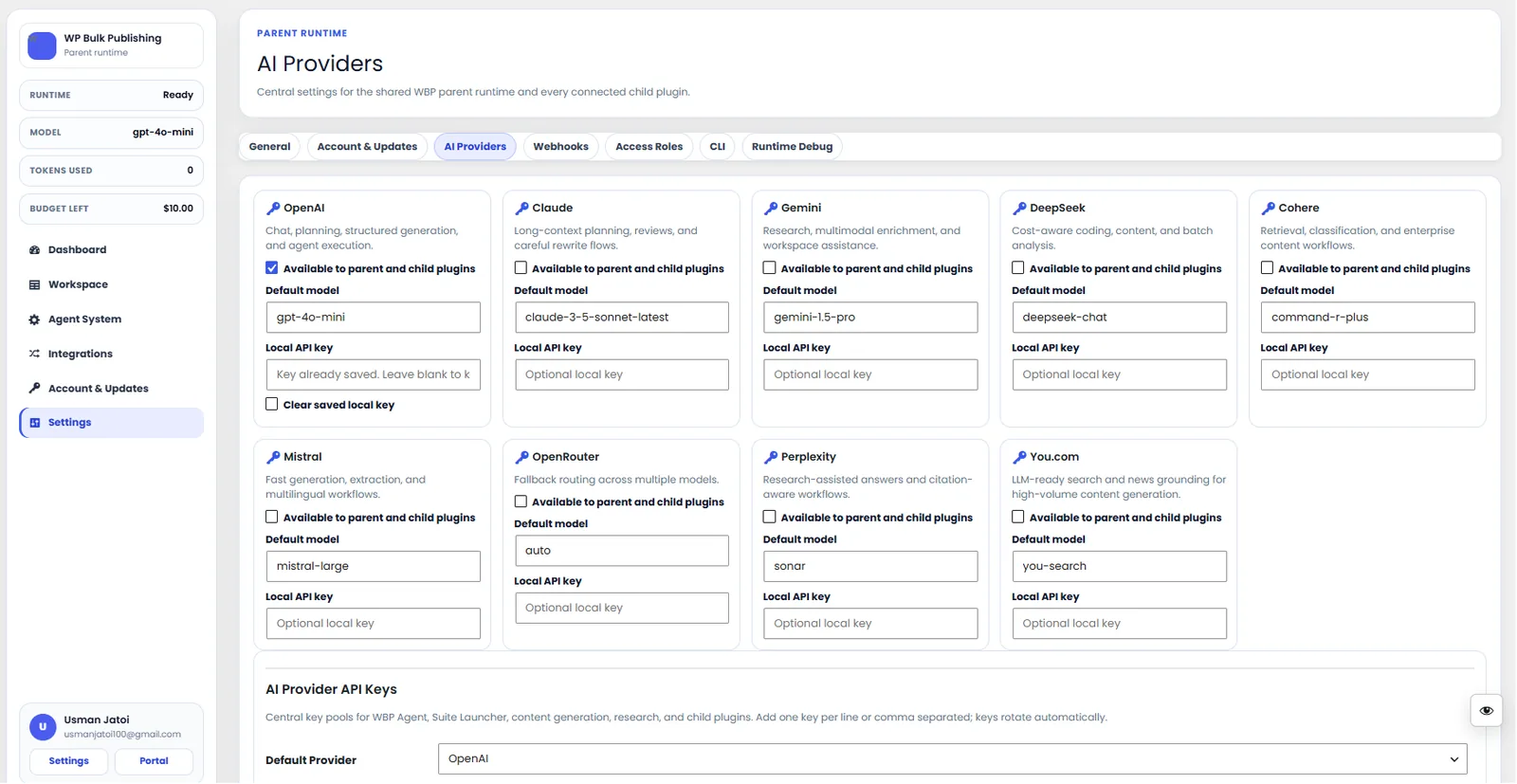
AI Providers
Configure AI providers — Lovable AI, OpenAI, Anthropic, Gemini — with model + budget controls.
- ai
- providers
- content-ai
- settings

General Settings
General settings screen: separators, permalinks, breadcrumbs, and image alt rules.
- settings
- configuration
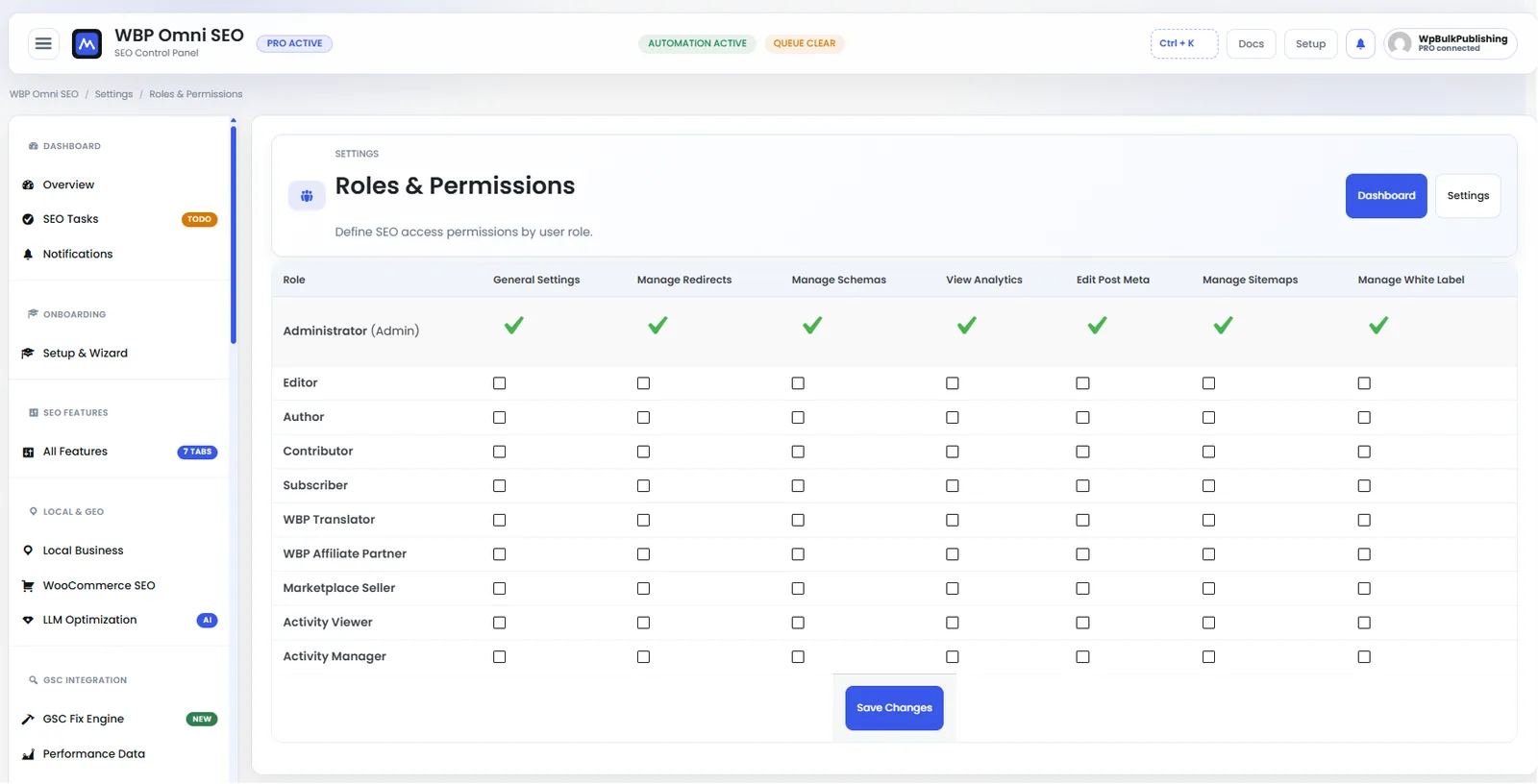
Roles & Permissions
Per-role permission matrix so admins can lock down SEO features by WordPress role.
- roles
- permissions
- settings
- multi-user
Outcomes
What changes after you turn this on
Alerts land in the right channel
No plugin-inbox fatigue
Faster response
Agencies
Ships with defaults tuned for this team from day one — no consultant required.
SaaS teams
Ships with defaults tuned for this team from day one — no consultant required.
Anyone running on-call
Ships with defaults tuned for this team from day one — no consultant required.
Pairs well with
Related features
Get Email & Slack Notifications plus every other capability — in one ecosystem.
One catalog covers plugins, tools, GPTs, MCP endpoints, apps and services. One team on the other end. One place to see what changed, when, and by whom.
