

WPBakery Integration
SEO scoring inside the WPBakery front-end and back-end editors.
WPBakery's shortcode-based content confuses generic SEO plugins that only read the post_content field.
The workflow
How WPBakery Integration works, step by step
The same 5-step flow runs across every surface — the interface changes, the engine doesn't.
- 01Parses WPBakery shortcodes to compute real word count and readability.
- 02SEO panel in front-end and back-end editors.
- 03Schema and OG fields per row / column.
- 04Detects duplicate H1s across nested rows.
- 05Bulk editor for shortcode-heavy sites.
Inside the WBP interface
Real product screenshots from the current release — click any image for full resolution.
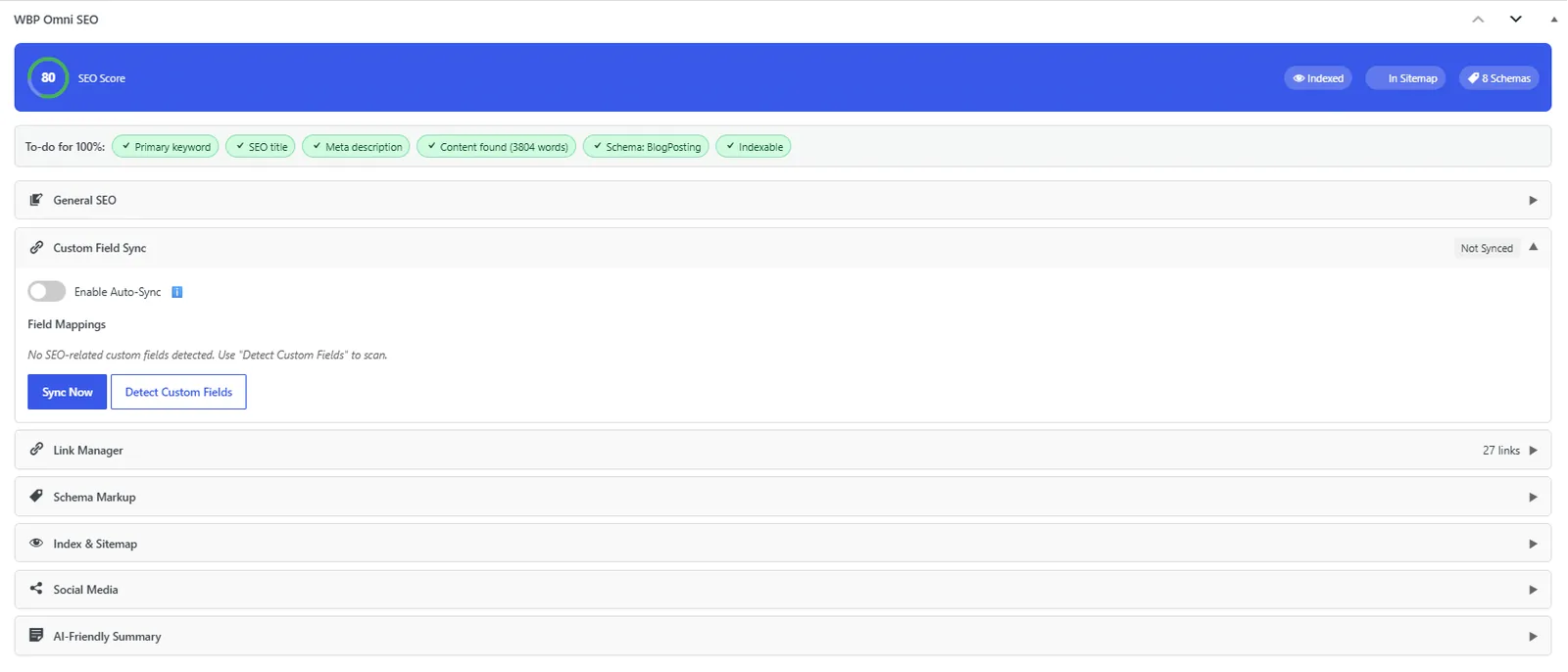
Post Editor — Custom Field Mapping
Custom-field mapping engine that migrates Yoast, Rank Math, AIOSEO, SEOPress metadata in one click.
- post-editor
- migration
- custom-fields
- yoast
- rank-math
- aioseo

General Settings
General settings screen: separators, permalinks, breadcrumbs, and image alt rules.
- settings
- configuration

Post Editor — Index & Sitemap
Per-post indexation, sitemap inclusion, and IndexNow ping controls.
- post-editor
- indexation
- sitemap
- indexnow

Post Editor — Link Attributes
Bulk-set nofollow/sponsored/ugc and new-window on every link inside a post.
- post-editor
- links
- nofollow
- link-attributes
Outcomes
What changes after you turn this on
Accurate SEO scores despite shortcodes.
Editor works in both WPBakery modes.
Legacy sites gain modern SEO.
Legacy WPBakery sites
Ships with defaults tuned for this team from day one — no consultant required.
Themes bundling WPBakery
Ships with defaults tuned for this team from day one — no consultant required.
Pairs well with
Related features
Get WPBakery Integration plus every other capability — in one ecosystem.
One catalog covers plugins, tools, GPTs, MCP endpoints, apps and services. One team on the other end. One place to see what changed, when, and by whom.
