

OpenAI Integration
Bring your own OpenAI key and route titles, descriptions, and schema through GPT-4-class models.
SEO plugins that hardcode one AI vendor lock you into their markup and their outages.
The workflow
How OpenAI Integration works, step by step
The same 4-step flow runs across every surface — the interface changes, the engine doesn't.
- 01Paste your OpenAI API key in Settings → AI Providers; nothing leaves your server without your key.
- 02Pick a model per task: cheap for meta rewrites, premium for long-form drafts.
- 03Rate limits and monthly caps are enforced inside the plugin so a runaway prompt cannot drain the account.
- 04Fallback to Anthropic, Google, or Lovable AI when OpenAI is degraded.
Inside the WBP interface
Real product screenshots from the current release — click any image for full resolution.
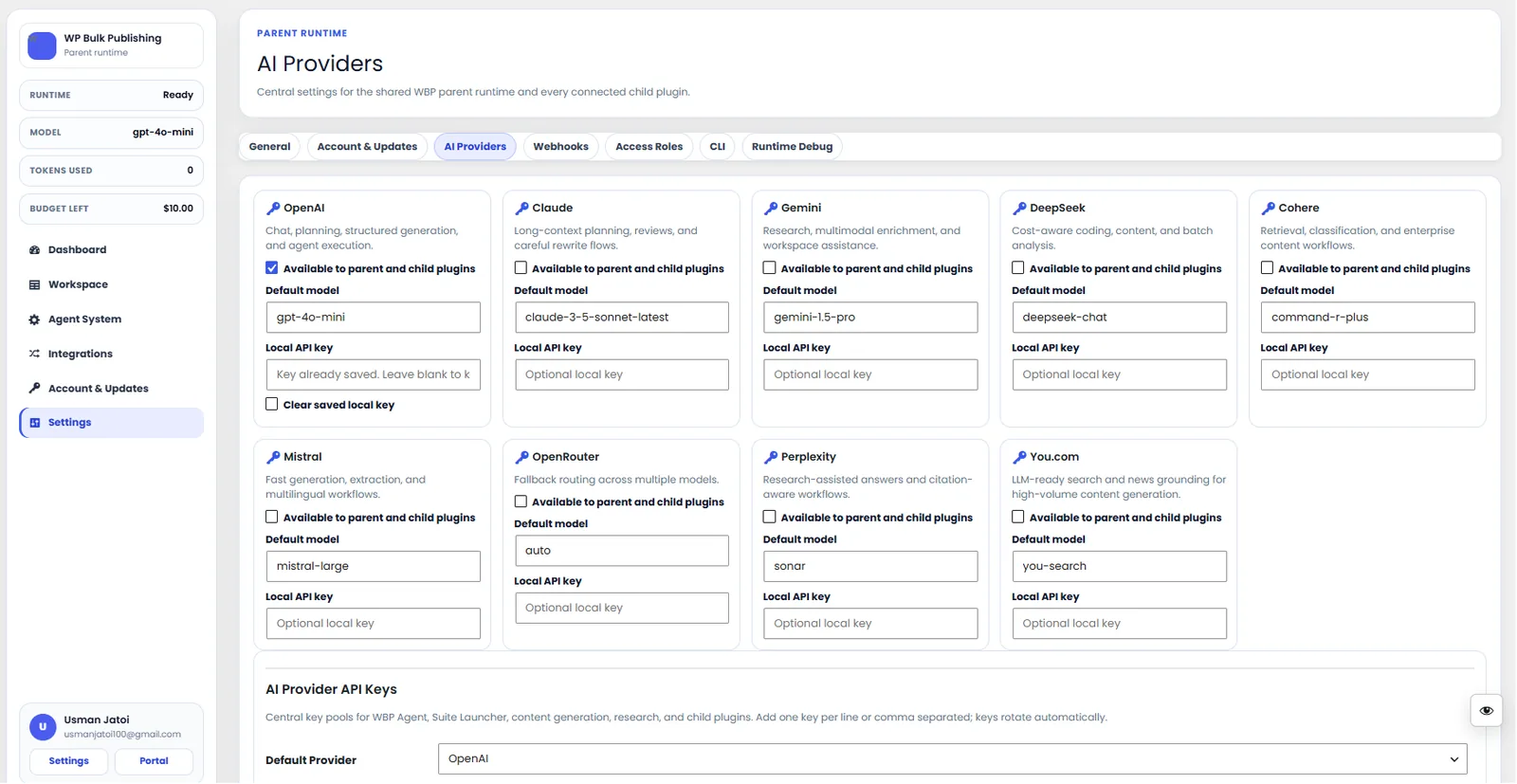
AI Providers
Configure AI providers — Lovable AI, OpenAI, Anthropic, Gemini — with model + budget controls.
- ai
- providers
- content-ai
- settings
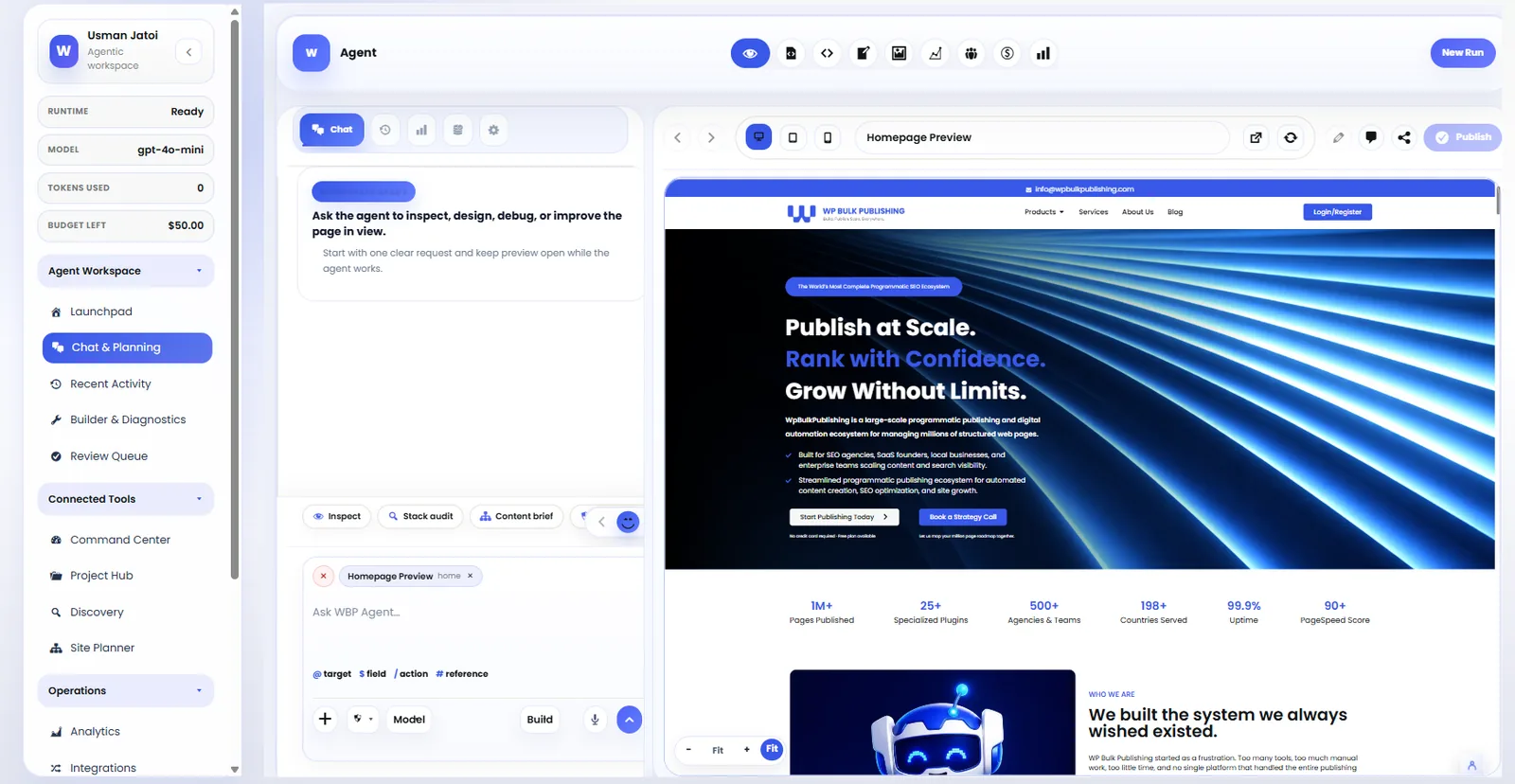
SEO Agent
The always-on SEO agent monitoring rankings, indexation, and content gaps in real time.
- ai
- agents
- seo
- automation
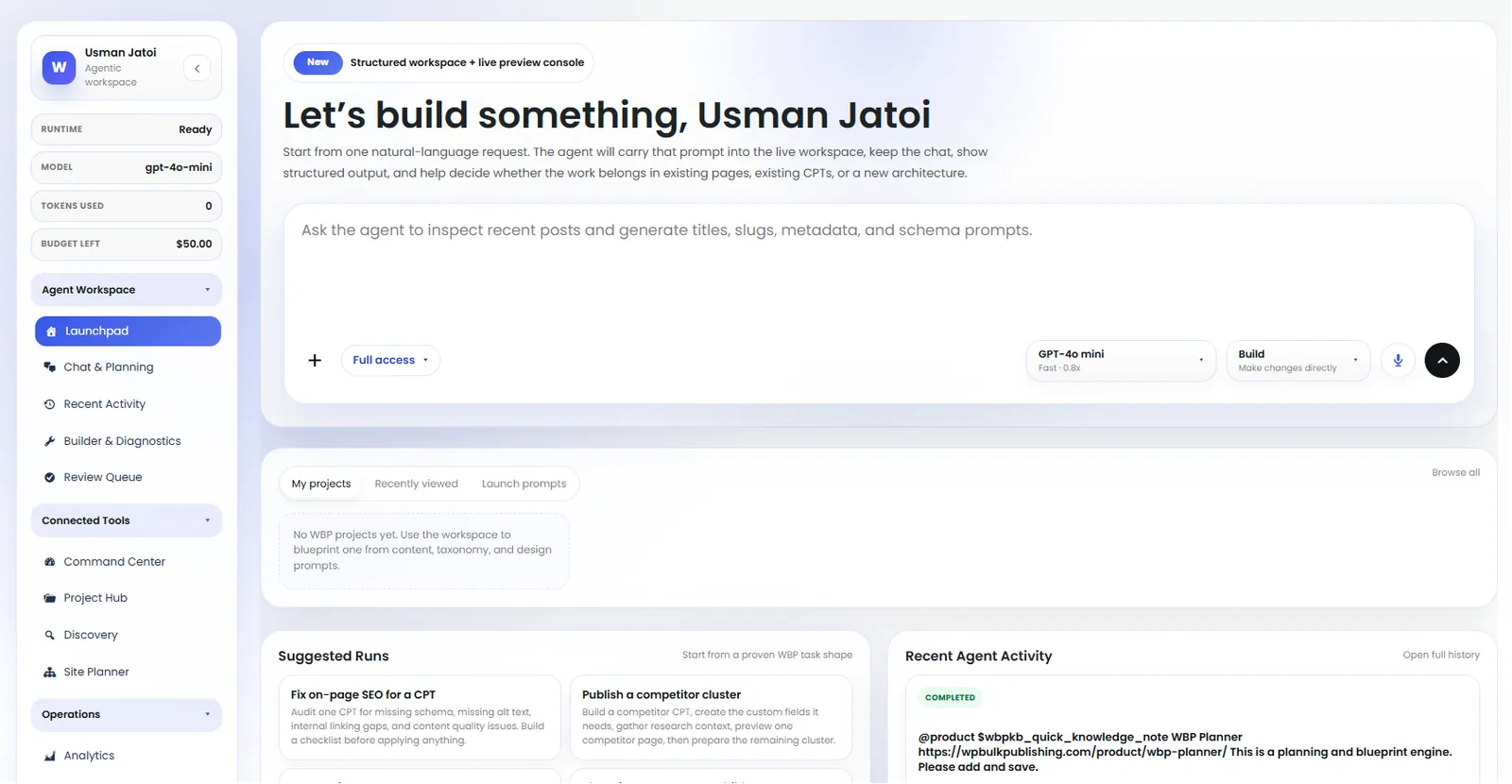
Agent Launchpad
Launch pre-built agents: keyword research, content briefs, internal linking, schema fixes.
- ai
- agents
- launchpad
- automation
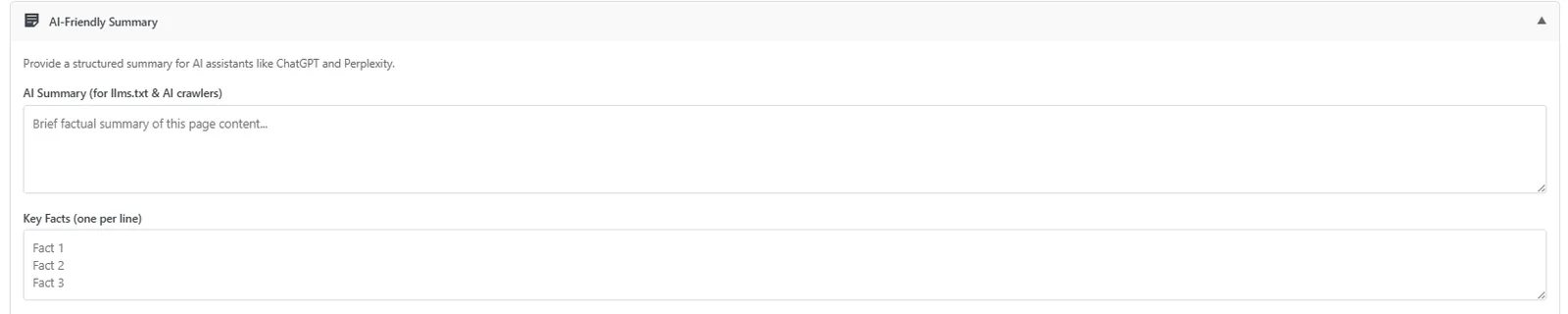
Post Editor — AI-Friendly Summary
Auto-generated AI-friendly summary block so LLMs cite your page correctly.
- post-editor
- ai-visibility
- ai-search
- llm
Outcomes
What changes after you turn this on
Zero vendor lock-in
Predictable monthly AI spend
No proxy fees
Agencies with existing OpenAI billing
Ships with defaults tuned for this team from day one — no consultant required.
Teams under strict data-processing rules
Ships with defaults tuned for this team from day one — no consultant required.
Pairs well with
Related features
Get OpenAI Integration plus every other capability — in one ecosystem.
One catalog covers plugins, tools, GPTs, MCP endpoints, apps and services. One team on the other end. One place to see what changed, when, and by whom.
