

Speakable Schema
Mark the passages voice assistants and AI Overviews should quote.
Voice assistants and AI Overviews pull passages, not full pages. Without Speakable markup they pick unpredictably or skip you.
The workflow
How Speakable Schema works, step by step
The same 4-step flow runs across every surface — the interface changes, the engine doesn't.
- 01Mark H1, TL;DR and answer blocks as Speakable in one click.
- 02Ships schema.org/SpeakableSpecification with CSS-selector targeting.
- 03Validated against Google's guidelines.
- 04Bulk-apply per template.
Inside the WBP interface
Real product screenshots from the current release — click any image for full resolution.
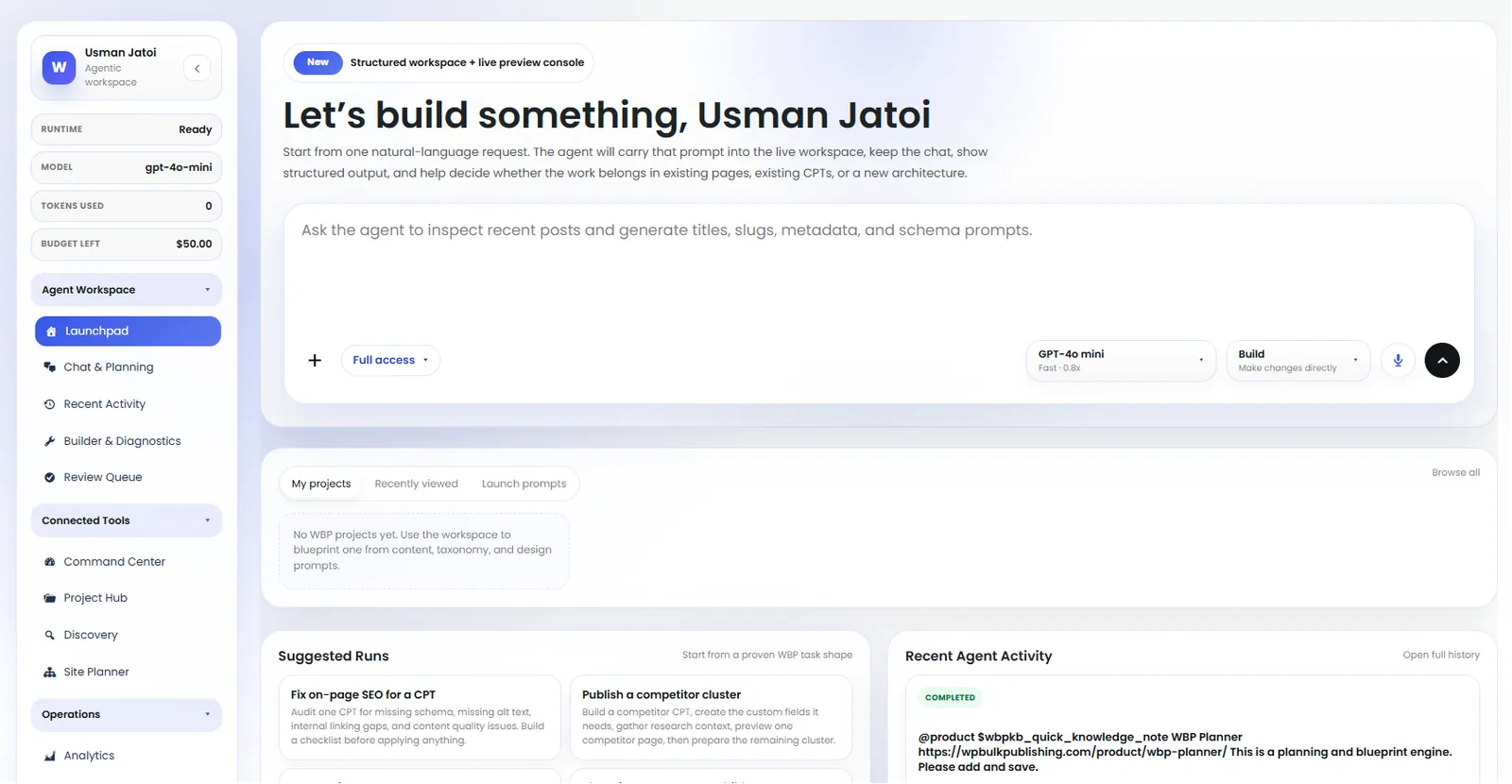
Agent Launchpad
Launch pre-built agents: keyword research, content briefs, internal linking, schema fixes.
- ai
- agents
- launchpad
- automation

Feature Set — Schema
Full schema library: Article, Product, LocalBusiness, FAQ, HowTo, Course, Recipe and more.
- features
- schema
- structured-data
- rich-results

Post Editor — Schema Manager
Schema Manager inside the post editor: pick a type, edit fields, validate, and preview rich results.
- post-editor
- schema
- structured-data
- rich-results

Setup Wizard — Basic Setup
Setup wizard step 2: site title, logo, social profiles, and default schema type.
- setup
- onboarding
- getting-started
- wizard
Outcomes
What changes after you turn this on
Consistent voice-answer surface.
Higher AI Overview citation share.
Predictable quoted passages.
News + magazine sites
Ships with defaults tuned for this team from day one — no consultant required.
Publishers
Ships with defaults tuned for this team from day one — no consultant required.
Voice-first brands
Ships with defaults tuned for this team from day one — no consultant required.
Get Speakable Schema plus every other capability — in one ecosystem.
One catalog covers plugins, tools, GPTs, MCP endpoints, apps and services. One team on the other end. One place to see what changed, when, and by whom.
