

HowTo Schema Block
Step-by-step JSON-LD you author in Gutenberg — no code, no validation guesswork.
HowTo schema still drives voice + Overview eligibility, but hand-writing the step tree, tools, supplies and estimated cost is brittle.
The workflow
How HowTo Schema Block works, step by step
The same 4-step flow runs across every surface — the interface changes, the engine doesn't.
- 01Gutenberg block for steps, tools, supplies, time and cost.
- 02Auto-JSON-LD with image, name, text per step.
- 03Rich Results Test button in the sidebar.
- 04Speakable field on every step for voice.
Inside the WBP interface
Real product screenshots from the current release — click any image for full resolution.

Feature Set — Schema
Full schema library: Article, Product, LocalBusiness, FAQ, HowTo, Course, Recipe and more.
- features
- schema
- structured-data
- rich-results
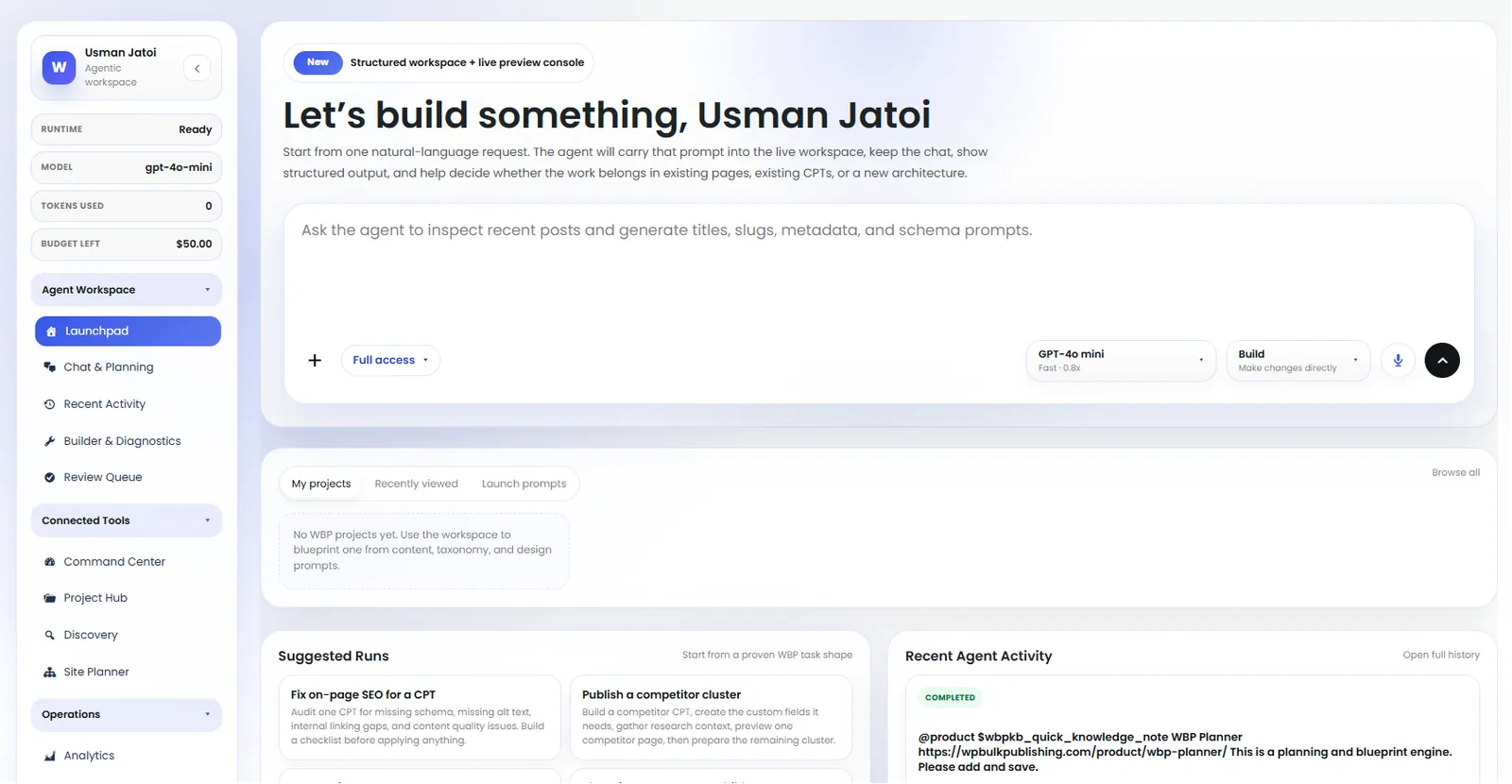
Agent Launchpad
Launch pre-built agents: keyword research, content briefs, internal linking, schema fixes.
- ai
- agents
- launchpad
- automation

Post Editor — Schema Manager
Schema Manager inside the post editor: pick a type, edit fields, validate, and preview rich results.
- post-editor
- schema
- structured-data
- rich-results

Setup Wizard — Basic Setup
Setup wizard step 2: site title, logo, social profiles, and default schema type.
- setup
- onboarding
- getting-started
- wizard
Outcomes
What changes after you turn this on
Voice + Overview eligibility for tutorials.
Consistent recipe / tutorial UX.
No hand-written JSON-LD to maintain.
Tutorial sites
Ships with defaults tuned for this team from day one — no consultant required.
DIY / crafts
Ships with defaults tuned for this team from day one — no consultant required.
Software how-to blogs
Ships with defaults tuned for this team from day one — no consultant required.
Get HowTo Schema Block plus every other capability — in one ecosystem.
One catalog covers plugins, tools, GPTs, MCP endpoints, apps and services. One team on the other end. One place to see what changed, when, and by whom.
